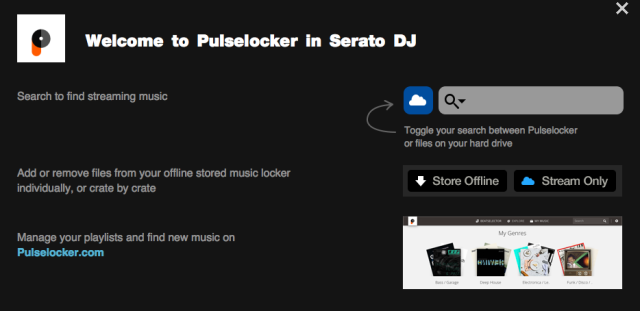
Serato DJ最新版本1.9測試版前兩天已釋出,而這個版本最重要的更新是和Pulselocker結合了,如果你不知道Pulselocker,那就先看一下之前的文章喔!
Pulselocker
只要在Serato畫面中登入了Pulselocker帳號,你即可免費體驗2週,而在兩週後會有兩種付費方案可供選擇。一種是10美金,必須上線才能讀取Pulselocker資料庫音樂,20美金/月的方案可離線使用資料庫音樂!
不過可惜的是,台灣目前無法使用Pulselocker服務,只有美國、加拿大、英國可使用
Pulselocker開始啟用!看來台灣的朋友想要在DJ軟體中使用串流音樂服務可要再等等囉!
雖然無法使用Pulselocker,在1.9測試版還是有更新一些bug,如果需要下載的朋友,請到
下載頁面 。
 Bug修正
Bug修正
• HID mode not consistently working on Pioneer CDJ’s with OSX El Capitan
• Audio artefacts when scratching backwards slowly
• Potential hang when using censor actions during Flip playback
• Potential crash when editing beatgrids
• Certain video files causing a crash on import
• Potential hang when tapping tempo after adjusting beatgrid
• Potential hang on exit with corrupt FLAC files
• Potential connection issue when hot plugging a device using a USB hub
• Dragging and dropping outside of SDJ not working correctly
• Unable to scroll and organise crate lists correctly
• Album art is not displayed on supported CDJs
• Recording meter showing max volume at all times
• When doing an Instant Double waveforms not displaying correctly on controller screens
• GUI popups not layering correctly causing visual artefacts
• GUI stalls when rescanning ID3 tags
• Analyse files button does not light up when tracks are dragged over the top of it
• Song time text position incorrect
• Selecting track with unloaded album art can cause all CDJ album art to not display
• Slicer status bar message for beatgrid displaying even when slicer not enabled
• Dock Icon bouncing on OSX during startup of SDJ
• Autoplay stops playback after it skips a missing file
• Scope view alignment issues when using SDJ in French and Spanish languages
• BPM does not go blank when the BPM column value is changed to zero
• Record Panel timer breaks after recording for 100 mins
• Midi XML not saving when umlauts used in OS user account names
• Tracks which save metadata to an external file won't deck analyse BPM if ejected early
• Pickup on MIDI for OSA devices does not register correct value on connection


 凌晨4:07
 tooltour


